Why Kobiton Became Part of My Everyday Agentic Development
My coding agent can change an app in minutes. Proving the change on a real iPhone used to need a phone, a cable and me. Kobiton's real-device cloud and MCP server removed that step, and I still use them every day.
My coding agent can change a mobile app in minutes. For a long time, proving that change on a real phone was the slow part, and it was slow because of me.
iOS was the hardest. A simulator doesn't have a real iPhone's memory limits, background scheduling or network, so some bugs only appear on hardware. My own iPhone sits locked most of the day, and connecting it to the agent's tooling needs me to type a passcode on the device. Every run waited for me. Buying a shelf of iPhones to cover the models my users have was never realistic.
Kobiton solved that for me. It's a real-device cloud: physical iPhones, iPads and Android phones in a data centre that you, or your agent, can open a session on, install a build and drive. Its MCP server lets an AI coding agent do the whole loop from its own workspace. I first used it for an evaluation. I kept using it afterwards, and today most of my real-iPhone testing runs there. Of the device clouds I've used, it's the best fit I've found for agent-driven work.
Why use a real-device cloud for iOS and Android testing?
A device cloud gives you hardware you couldn't justify owning, and someone else keeps it charged, connected and up to date.
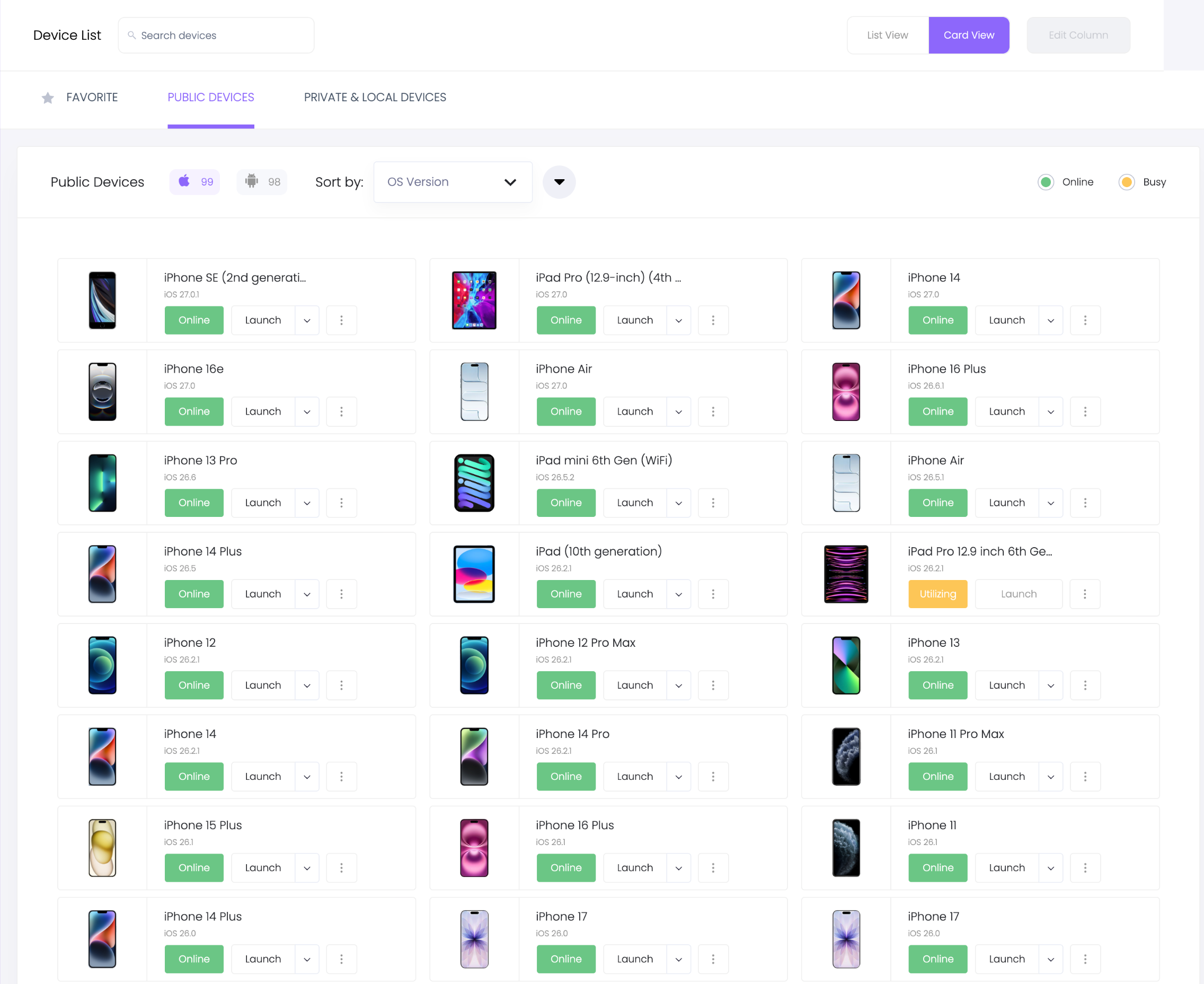
A snapshot of the iOS devices available to me in Kobiton.
When developing my apps, three things matter most to me:
- Coverage. My Android work runs on Pixel, Galaxy and OnePlus phones, Xiaomi devices on MIUI, and a Huawei without Google services. Android versions run from 8 to 17. I own almost none of them.
- No provisioning for iOS. I upload an
.ipa, and Kobiton resigns it for the device. There are no UDIDs to register and no profile to regenerate when a different iPhone comes up. That worked for unsigned development builds and for App Store-signed builds alike. - No human in the loop. Nobody has to unlock a phone, plug in a cable or accept a trust prompt before the agent can start.
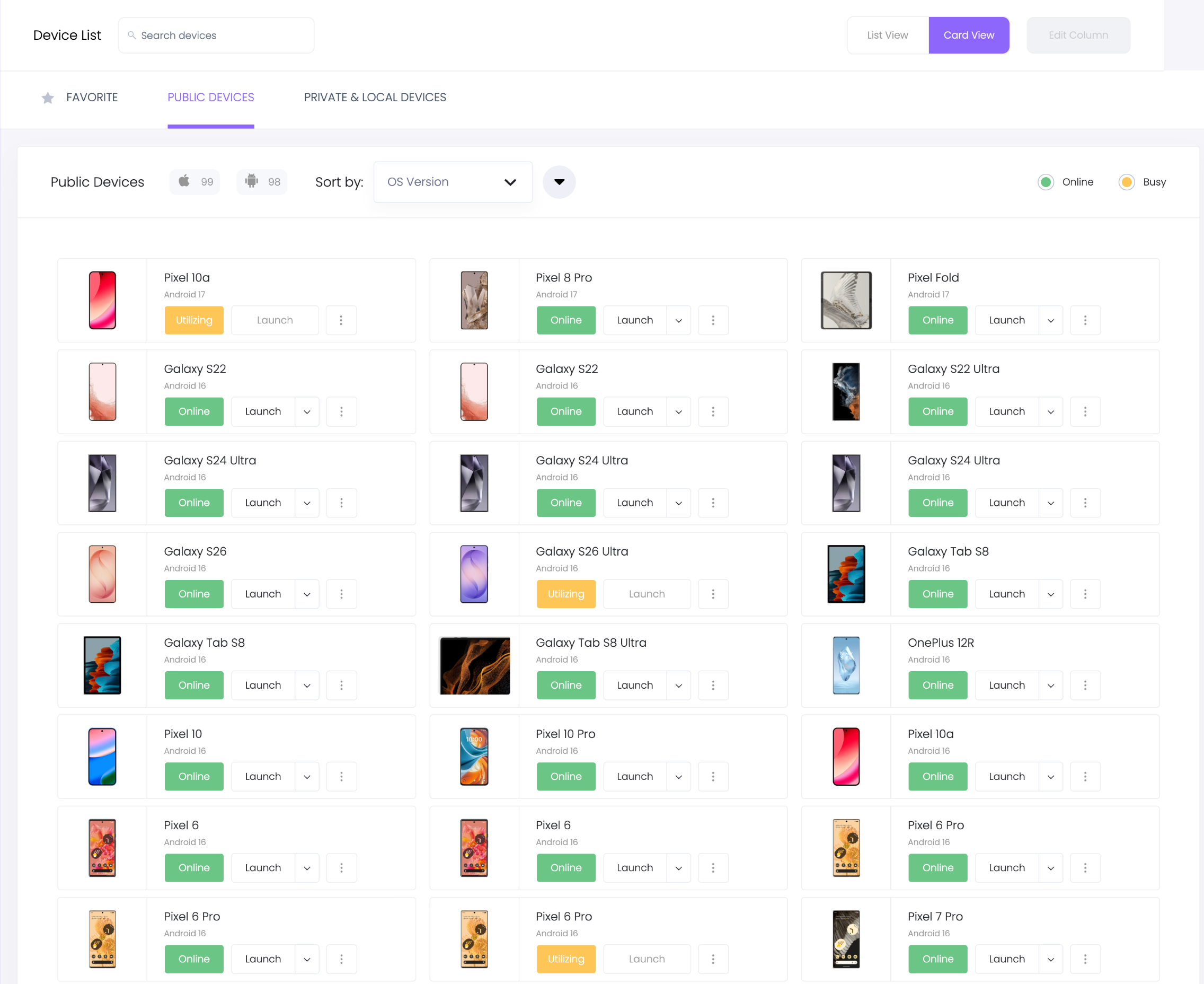
The Android side of the same list, sorted by OS version.
How Kobiton MCP fits an agentic development workflow
MCP (Model Context Protocol) is the standard way to give an AI agent tools. Kobiton's MCP server exposes the platform as tools the agent can call: list devices, upload an app, start a session or a test run, fetch the artifacts, end the session. For commands inside a running session, such as installing a build, running a shell command on an Android device or taking a screenshot, my agent uses Kobiton's CLI alongside it.
A typical loop, as the agent runs it:
listDevices          → pick a device by model and OS
uploadAppToStore     → upload the build once, reuse it across sessions
session create       → device answering commands about 3 s later
install, drive, inspect (shell, WebDriver, screenshots)
getSessionArtifacts  → video, logs, JUnit report where the session type records them
session end
The plugin and tools reference lists the full set. The part that changed my workflow is that the agent never has to ask me for a device.
Real iPhone testing became an everyday workflow
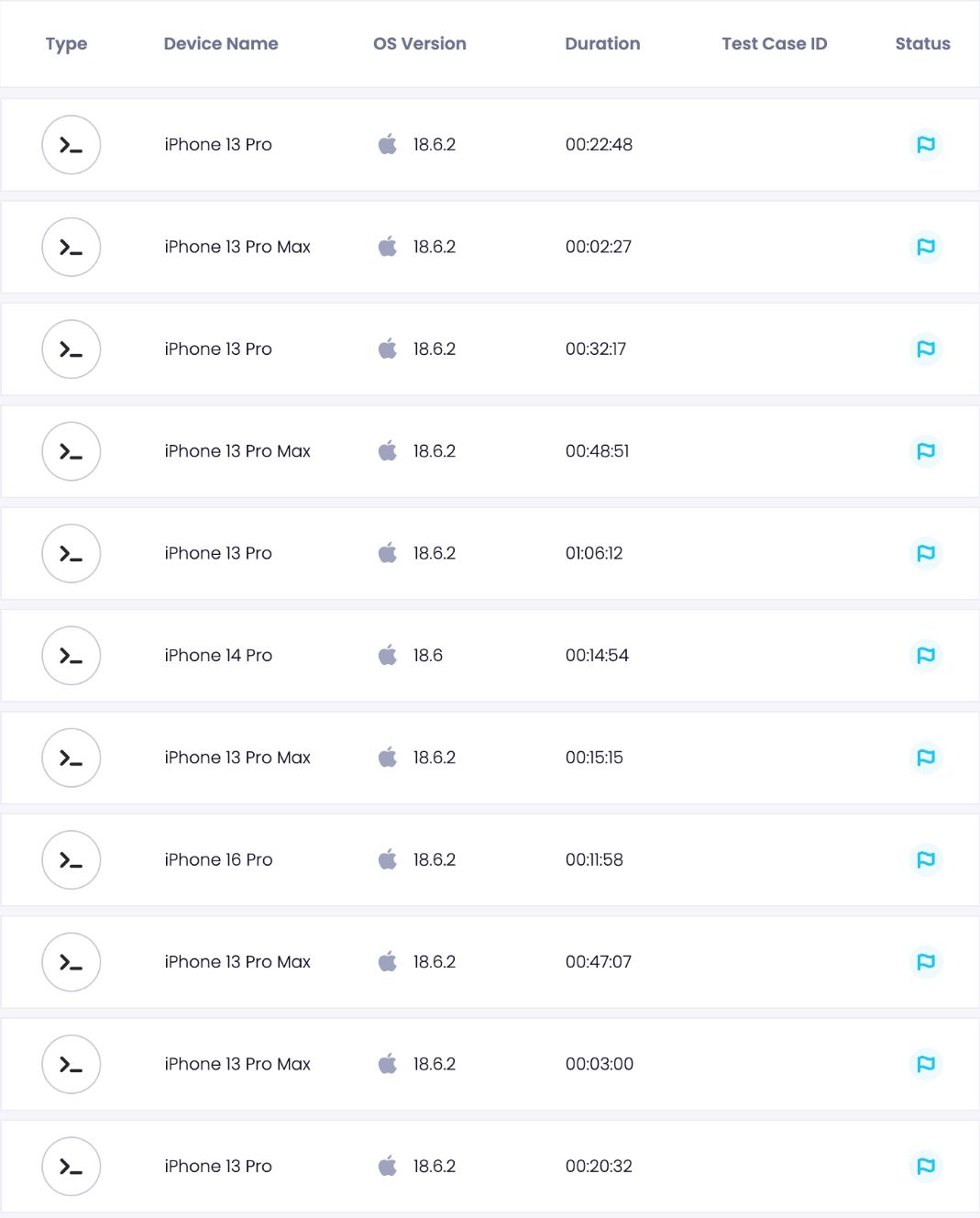
One day of iOS sessions, driven by my agents. User, ID, name and date columns removed.
Here is what that looks like on a typical bug. My chat app downloads an on-device AI model of 1.3 GB or 2.7 GB. On a real iPhone 14 Pro, the agent installed a build, started the download, switched to another app and came back. The download had restarted from zero. That's a check I wouldn't trust a simulator with.
In a later build, the agent repeated the same check on a real device: progress read 6% before it switched to Safari, and 35% when it came back 15 seconds later. The download had carried on in the background. On the same session, both models finished downloading in about a minute each over the device's network and answered prompts entirely on the phone, which is exactly the kind of memory and storage behaviour I can't trust a simulator for.
In another app, the same kind of session confirmed six earlier fixes on real hardware. To catch fast UI states, the agent takes screenshots in quick bursts; three back-to-back captures recorded a video export at 18%, then 81%, then done.
Android device coverage changed a product decision
The question was whether a larger on-device model was safe to offer to everyone, and my own test phone couldn't answer it for anyone else's phone.
The agent ran an instrumented benchmark through Kobiton's test run on three real phones: a Galaxy A52 5G with about 5 GB of RAM, a Redmi Note 11 with under 4 GB, and a Pixel 9 Pro XL. On the A52, Android's low-memory killer stopped the app while the larger model was loading, with the app in the foreground. The smaller model fit, but sat right on my performance floor; the Redmi missed it in this harness, though its scheduling state may have understated real foreground performance.
That changed the product plan, not just a test result: the benchmark led us to recommend keeping the larger model off the default path on phones with 6 GB of RAM or less, and gating the automatic model download on RAM. I'd never have seen that kill on my own phone.
Instrument and inspect: when a passing test is not enough
Real devices also answer questions a test can't. My reminder app chooses at runtime between an exact alarm and an inexact one. Its instrumented test passed, but it could only check that the reminder existed, not how Android had stored it.
On a Pixel 10a running Android 17, the agent installed the app, ran that test through am instrument, and then asked the OS with dumpsys alarm, in the same open session:
# selected dumpsys alarm lines; package and timestamp elided
tag=*walarm*:<app>.action.REMINDER
type=RTC_WAKEUP origWhen=<scheduled time> window=+1h0m0s0ms repeatInterval=0 count=0 flags=0x20
The test passed in 0.207 seconds; the alarm had a one-hour delivery window. That exposed the inexact branch on a fresh install, my app's behaviour rather than the platform's, and showed exactly what needed fixing. The whole session, including forcing the phone into Doze and reading the table again, took 1 minute 47 seconds.
Kobiton testing speed: observed results
These are from my session logs:
| Step | Time |
|---|---|
| Session created → device answering commands | about 3 s |
| Install a 74 MB debug APK | 9 s |
| Instrument, inspect and Doze experiment, including teardown | 1 min 47 s |
| Replay an 11-step UI flow on 3 devices in parallel | 68 s wall-clock |
| Espresso suite: submit → JUnit report | 13 s |
For comparison, my previous cloud setup took about six minutes just to boot a device for one run. These steps don't measure the same thing, but short, cheap sessions are what make it reasonable for an agent to check on real hardware in the middle of a change instead of at the end of the week.
What to know before using Kobiton MCP
A few things to check against your own app before you start:
- Shared public devices limit the Android shell. Some commands and log filters are restricted, so pull the full log and filter it on your machine. Android also allows one UI automation connection per device; tests that use UI Automator or permission-grant rules may not run interactively. Kobiton says dedicated devices are unrestricted and support virtualUSB; I've only used shared ones.
- On iOS, I drive tests through Kobiton's CLI and WebDriver. Running XCUITest from my own Mac against a cloud device didn't work in my setup, while the CLI route worked every day.
- Resigning changes entitlements. App Groups don't survive it, so share-extension handoff to the main app and StoreKit prices can't be fully tested on a resigned build.
- Check what each session type records. Automation and instrumentation sessions record video and logs. CLI sessions record them only if you ask with
--capture video,logs, which needs a recent CLI version. My early iOS runs didn't use it, so the agent saved screenshots as it went. - Check session state. A few sessions ended early on the platform side; my agent now checks session status before trusting a result.
When I filed issues on Kobiton's public tracker, an engineer replied to my first reports the same day.
Why I keep using Kobiton for real-device testing
I reach for Kobiton whenever the answer depends on real hardware: memory, background execution, OS scheduling, OEM behaviour, or simply an iPhone model I don't own. It lets my agent check its own work on real devices without waiting for me, and it's why most of my iPhone testing now happens there.
If you're building mobile apps with an AI agent, start with Kobiton and its MCP setup guide.
Keep reading
- The Agent Taps the Phone. Nothing Touches the Mac.Writing code stopped being the expensive half; verifying it started. On iOS the last mile is a real device — and unlike Android, the platform does not simply let you in. Here is what it takes, and what it catches.
- Trunk-Based Development With Coding Agents: What My Merge History ShowsI pulled the merge history of five repos to see how long my branches really live. One large branch failed CI three times before it went green; the small ones merged in minutes.
- Android and iOS, Two Device Layers: agent-device Against My Own StackThe same kind of task on an Android emulator and an iOS Simulator, run through two device layers. One handed the agent screens of a few hundred bytes; the other handed it tens of kilobytes. Both finished, and both platforms had a moment that would have fooled an agent.