My Notes Said Firebase Test Lab Ran on Every Gate. It Never Went Green.
I set up a Firebase Test Lab device matrix for an Android app in one evening. Months later my notes said it ran on every gate. The run history said something else.
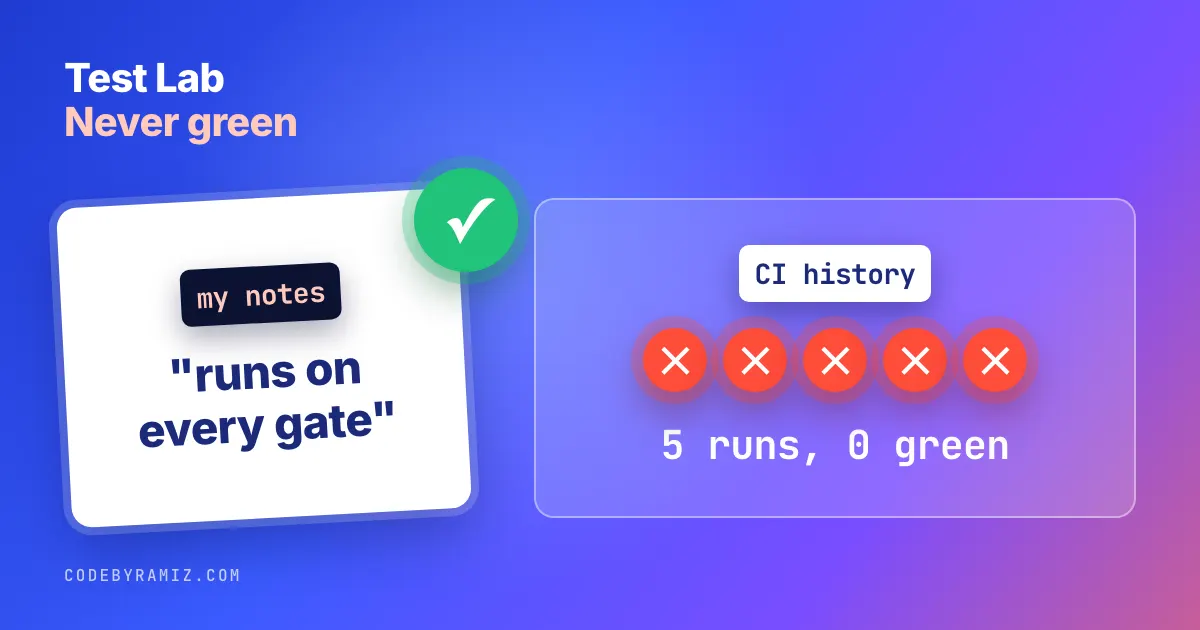
A note in my own setup docs says that Firebase Test Lab "already runs our instrumented suite across a device matrix on every gate". I went to check it before writing this post. The GitHub history for that workflow has five runs, all on one evening in April, and all five failed.
This is what I set up for PlannedPing, one of my Android apps, what the first catalog check corrected, and what I would do differently. Everything below comes from the repo, its run history and the Test Lab docs. Where a log has expired, I say so.
What Firebase Test Lab is, in one paragraph
Test Lab runs your Android tests on phones in a Google data center, plus virtual devices. You send an app APK and, for instrumentation tests, the test APK; it runs them on the devices you name and gives you logs, video and results per device. There is also Robo, a crawler that taps through the app with no tests written. I drive it from a script and from a manual GitHub workflow.
Why a device matrix at all
Phone makers change Android, and the same test can behave differently on their builds. I have seen it with this app. On a commercial device cloud, one of PlannedPing's existing test classes passed on a Pixel 6 and a Huawei P30, and timed out on a Redmi Note 11 (MIUI) and a Galaxy S22+ (One UI), waiting for a "Device guidance" heading. One disclosure: Kobiton gave me free device minutes alongside a paid evaluation of its tooling. I have not found the root cause. That split is what a matrix is for.
Firebase Test Lab pricing, and why five devices
The free Spark plan, per the quota page, allows "10 test runs per day on virtual devices" and "5 test runs per day on physical devices". On the paid Blaze plan the free allowance is "30 minutes of test time per day on physical devices", then "$5 per hour for each physical device".
So the default matrix is five slots, picked for maker and Android version spread rather than for the newest phones:
The default matrix in scripts/run-ftl-matrix.sh: four physical phones and one virtual device, sized to the Spark quota.
DEFAULT_MATRIX=(
    "--device" "model=Pixel2.arm,version=28,locale=en,orientation=portrait"
    "--device" "model=oriole,version=33,locale=en,orientation=portrait"
    "--device" "model=b0q,version=33,locale=en,orientation=portrait"
    "--device" "model=cancunf,version=34,locale=en,orientation=portrait"
    "--device" "model=shiba,version=35,locale=en,orientation=portrait"
)
That is a virtual Pixel 2 for API 28, a Pixel 6, a Galaxy S22 Ultra for Samsung's One UI, a Moto G54 and a Pixel 8. The script also has a two-device --smoke, an eight-device --full for the paid tier, --robo, and --list-devices.
How the script calls Test Lab on Android
Before the first run, the script expects four things: gcloud signed in (I reuse the service account the app already uses for Play uploads), a project selected with gcloud config set project <project-id>, the testing.googleapis.com and toolresults.googleapis.com APIs enabled on that project, and the debug and test APKs built with ./gradlew assembleDebug assembleDebugAndroidTest. Its comments say the account needs the Cloud Test Admin and Firebase Test Admin roles.
Then it sets the APK paths, picks the matrix and makes one call:
The instrumentation path of the script, condensed. I have not seen this exact call finish green, so treat it as a starting point.
APP_APK="app/build/outputs/apk/debug/app-debug.apk"
TEST_APK="app/build/outputs/apk/androidTest/debug/app-debug-androidTest.apk"
MATRIX=("${DEFAULT_MATRIX[@]}")

gcloud firebase test android run \
    --type instrumentation \
    --app "$APP_APK" \
    --test "$TEST_APK" \
    --timeout 15m \
    "${MATRIX[@]}" \
    --test-targets "notPackage com.plannedping.app.isolation" \
    --results-history-name "PlannedPing"
Use your own APK paths if your module or build variant differs. The --test-targets line is PlannedPing-specific: it skips one test package of mine, so drop it or point it at your own.
Checking the catalog corrected my matrix
I wrote the script around seven in the evening. Three hours later I committed a fix titled "refresh device matrix against current catalog". When I listed what Test Lab actually offered, three of my picks were wrong:
| What I had | What the catalog said | Change |
|---|---|---|
devon (Moto G54 5G) | retired | replaced with cancunf, same phone, current codename |
b0q on API 34 | S22 no longer offered on 34 | --full slot moved to API 36 |
OP515BL1 (OnePlus Nord2 5G) | removed from physical devices | replaced with CPH2449 (OnePlus 11 5G) |
Three of my first device picks did not match the catalog. Taken from the fix commit's message.
Some of that first list came from memory and older examples, and Test Lab retires models and API levels. The fix is cheap: run gcloud firebase test android models list --filter="form=PHYSICAL" first and pick IDs from that output, not from a blog post, including this one.
I ran the listing again today. The four physical phones in the default matrix are all still there, among 227 physical models, and the virtual Pixel 2 still offers API 26 to 33.
Five runs, all red, and a note that said otherwise
That evening I also added a manual GitHub workflow. It only runs on demand, builds the APKs, signs in with the service account, and calls the script, with a 45-minute timeout. It also has a concurrency group, which queues a second run on the same branch behind the first. That does not stop a duplicate run from spending quota; it only stops two running at once.
It ran five times in about an hour:
| Run | Mode | Commit | Time | Result |
|---|---|---|---|---|
| 1 | --full | workflow added | 8m24s | failure |
| 2 | --default | unrelated change | 9m6s | failure |
| 3 | --default | unrelated change | 9m5s | failure |
| 4 | --default | catalog fix | 8m31s | failure |
| 5 | --default | catalog fix | 8m42s | failure |
Every manual run failed, including the two after the device list was corrected. From gh run list on the workflow.
I cannot tell you why. GitHub now answers the log download for the last run with HTTP 410, and the only failure annotation left is "Process completed with exit code 1." The Test Lab console may have more, but I am not going to guess at a cause I cannot show.
What I can show is the gap. Months later, a note I wrote for choosing between device clouds says Test Lab runs "on every gate". It never ran on a gate at all: the workflow is manual. The script was also copied into two newer apps from the same scaffold, and one of those has no Test Lab runs at all.
I trusted the note because it sounded like something I had checked. It was a plan written down as a fact. I make the same point about agents in Don't Trust an Agent That Says the Tests Passed, and it applies to my own notes too.
The Robo script, and what Robo cannot do
Robo needs no tests, which makes it tempting for an app with few of them. The catch is onboarding. My README for the script says that without guidance Robo got stuck on PlannedPing's three-page onboarding pager. I have no run log left to show that, so take it as my note, not a measured result.
My workaround is a Robo script: a JSON file of taps Robo tries first, in order, before it starts crawling. Mine has four. "Skip" jumps to the last onboarding page, "Get Started" finishes onboarding, "Dismiss" closes a setup prompt, and "Cancel" backs out of a dialog that would send Robo to system settings. I have not seen it work end to end, so it is a plan, not a result.
That last tap points at the real limit. PlannedPing needs an accessibility service to do its job, and the README states that Robo "can't grant runtime permissions that require the system UI (accessibility, battery-optimisation exemption)". So even a working Robo run would not reach the core feature.
The Xiaomi gap has moved
When I wrote the script, its comment said the catalog had no Xiaomi hardware, so MIUI was out of reach on Test Lab. That is why the Redmi result above came from a different cloud.
Today's catalog lists five Xiaomi models, including a Redmi Note 13 Pro 5G. So the gap the comment described has narrowed, and the comment is out of date again. For choosing which phones to cover at all, I wrote up my tiers in Your App Does Not Need Every Phone.
What I would do before trusting a Test Lab setup
- List the catalog the day you pick devices, and take IDs from that output.
- Fit the matrix to the quota on purpose. On Spark that is five physical runs a day; a virtual slot covers an old API level cheaply.
- Get one green run before writing that it works. A workflow file is not a result.
- Keep the logs you will need later. CI logs expire. Save the Test Lab results link, or the matrix outcome, where you keep the rest of your evidence.
- Script past onboarding before using Robo, and know which permission flows it cannot reach.
- Read a red run before calling it flaky. A run that never produced a result is a different problem from a failing test; I sort those cases in Flaky Tests or No Result?.
What I have not done: I have no green Test Lab run of this suite to report, no timings for a run that reached the devices, and no cost figures from my own bill. The next step is a single --smoke run, read to the end, before anything else gets written about it.
Keep reading
- Claude Code in Android Studio: The Editor Is the Easy PartThe plugin gives the agent diffs, your selection and lint. The phone is reached from the terminal, and that is where my agents' habits, my screenshots and my own guard hook surprised me.
- Flaky Tests or No Result? Seven Bad Runs, SortedBefore you call a red run a flaky test, check whether it ever produced a test result. Seven bad runs from my Android logs, sorted by what they were, and the one I could root-cause by experiment.
- Don't Trust an Agent That Says the Tests PassedAn agent's report is a claim. The setup I run only accepts evidence a machine or a second agent can check, and the cases where that caught something are on the page.