Claude Code in Android Studio: The Editor Is the Easy Part
The plugin gives the agent diffs, your selection and lint. The phone is reached from the terminal, and that is where my agents' habits, my screenshots and my own guard hook surprised me.
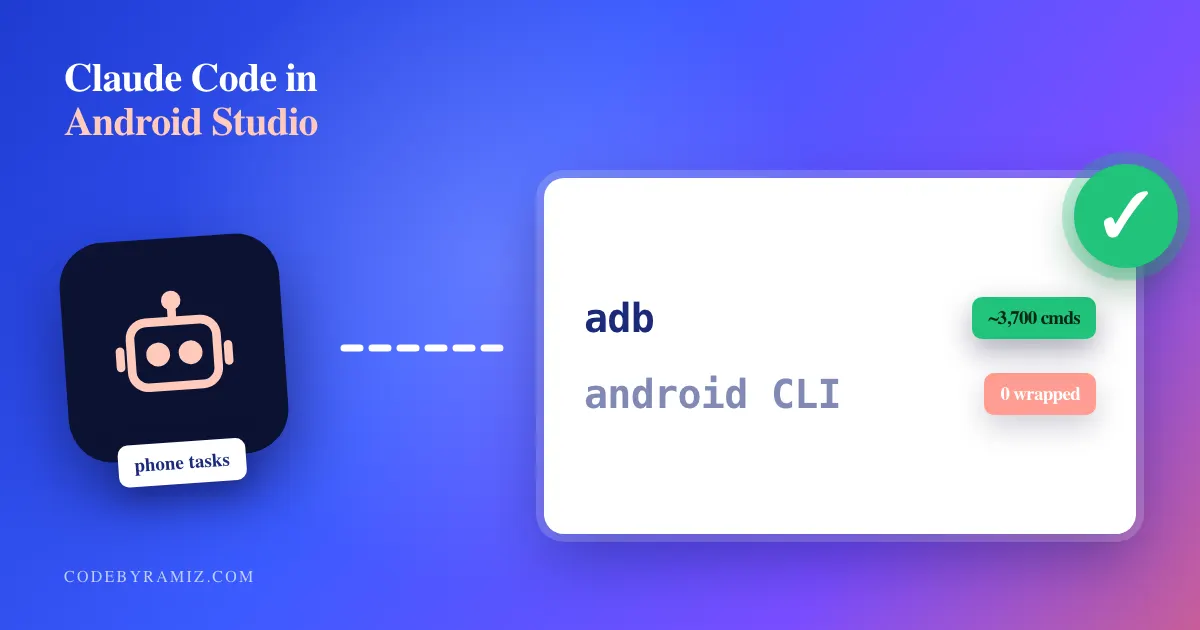
Short answer: besides showing diffs and sharing your selection, the Android Studio plugin gives Claude Code one tool, reading the editor's lint. Every build, install, tap and screenshot happens in a shell. That's where an agent can hand you a black screenshot as proof, or run its test on a phone another agent is using.
While I was researching this, my own hook blocked me. I asked Google's android command-line tool for its help text, android layout --help, and got this back:
'android' device commands must be serial-pinned. Use farm-android.
That's a guard I wrote so my agents can't grab a phone another agent is using. It stopped a help command that touches no phone. The device side is where the work is, including fixing the tools I built for it.
What the Android Studio plugin actually gives the agent
Claude Code's JetBrains plugin lists Android Studio as a supported IDE. Run claude in Studio's terminal, or /ide from any terminal, and you get diffs in the IDE's diff viewer, your current selection sent as context, and file-reference shortcuts.
The part the agent can use is smaller. The plugin runs a local MCP server, and according to the JetBrains docs only one of its tools is visible to the model: mcp__ide__getDiagnostics, which returns the editor's errors and warnings for one file. The docs say the plugin "does not expose a code-execution tool to the model."
So if you're expecting an Android Studio MCP that drives the emulator, this isn't it. The device work goes through the terminal, the same on an emulator as on a USB phone.
Agents reach for adb, not Google's android CLI
Google ships an android CLI that looks made for agents. android layout returns the UI tree, android run installs and launches, android preview renders Compose @Preview functions to PNG without a device, and android docs searches the official docs. I installed it, wrote a guide for my agents, and added farm-android, my own leased wrapper for it.
Then I counted what my agents ran. I parsed the Bash tool calls in my Claude Code transcripts across the three local profiles on my Mac, counting each transcript file as a session:
farm-adb, my leased adb wrapper: about 3,700 commands in about 3,200 tool calls, across 145 sessions.farm-android: zero.- The
androidCLI called directly for real work: a handful, most of them mine, while writing this.
The adb commands were the usual ones: about 500 shell input commands (taps, key presses, swipes), then dumpsys, install and uiautomator dumps, and around 200 screenshots.
My guess at why: the model has seen adb in years of public examples and sees the android CLI only in one guide in its context. When both work, it picks adb. The practical conclusion is to stop pushing the new CLI for device work and put the safety checks on the adb path agents already take. The one android command I still point agents at is preview, because it needs no device at all.
Why adb exec-out screencap gave me black screenshots
The standard agent recipe is adb exec-out screencap -p > shot.png. On my phones, through the leased wrapper, it kept returning PNGs of about 16 KB that were solid black. An agent that saves a black frame and calls it proof is worse than one with no proof, because the file exists.
What works for me is to write the PNG on the phone, pull it, and check its size. Without any wrapper:
set -e
rm -f shot.png
adb -s "$SERIAL" shell input keyevent KEYCODE_WAKEUP
adb -s "$SERIAL" shell screencap -p /sdcard/shot.png
adb -s "$SERIAL" pull /sdcard/shot.png shot.png
[ "$(wc -c < shot.png)" -ge 50000 ] || { echo "too small, likely black"; exit 1; }
A size floor catches the 16 KB black frames I kept getting. It is a heuristic: a capture taken another way skips it, and a frame that passes still needs a look.
I put those steps in my own wrapper, farm-capture, which also checks the screen is awake and refuses anything under 50,000 bytes. It fixed the frames, not the habit. After it existed, agents ran it about 290 times in about 30 sessions, and still ran the old exec-out screencap about 150 times in about 40 sessions. Documenting the better path didn't move them. The next step is to make the adb wrapper refuse exec-out screencap and name farm-capture in the message. It's the same lesson as not trusting an agent's "tests passed": check what came out, not what the agent says it ran.
A guard hook that blocks greps
The device guard is a PreToolUse hook on Bash, the kind I described in the hooks I run every day. Its first step is deliberately cheap: a substring test on the raw tool-call JSON, so commands that never mention a device skip jq entirely. Abbreviated:
case "$INPUT" in
  *adb*|*maestro*|*appium*|*android*|*gradlew*|*farm*|*device-lock*|\
  *run-local-release-gate*|*seed-schedule*|*seed-all-states*|...) ;;
  *) exit 0 ;;
esac
Any command whose text contains one of these words goes on to the block rules, including a grep that only mentions one.
I pulled every block from my transcripts, deduplicated, and ran a rough pattern over them to see which looked like a real device command:
- 366 blocks over about six weeks.
- About 68 looked like a real device command. Most of the rest were greps,
cats,seds, notes written in heredocs, and worker briefs that mentioned a script name. - The rule for device scripts like the release gate blocked 213 times, and about 17 looked real. It matches the script's name anywhere in the command, even inside a quoted note. The Maestro,
androidand adb rules at least require a space, slash or shell operator before the word, which skips names likemaestro-flows/but still catches prose.
That's a pattern match, not a hand count, so read the numbers as rough. Even rough, most blocks didn't match a device-command pattern at all. Is that worth keeping? A false block costs one retry: the agent reads the message, rewrites the command, and goes on. A missed block costs a test run on a phone another agent is using: one agent installs a build mid-test, and the other reports a failure the app doesn't have. I covered why that's so hard to trace in running multiple Claude Code agents on one machine. The guard stays. The script rule should get at least the boundary check the other rules have.
Where to start with Claude Code and an Android phone
If you're adding Claude Code to an Android Studio setup with real devices, here's what I'd do, in this order:
- Install the plugin for diffs and diagnostics, and expect nothing from it on the device side.
- Put one wrapper in front of adb that pins the serial and takes a lock, and block raw adb with a hook. Agents use adb whatever you document, so put the safety on that path.
- Check every screenshot's size, and look at it, before anyone treats it as proof.
- Put the phone's stay-awake and screen-timeout settings back when a run ends. My farm does this automatically when a lease ends, and its log has 772 restore operations in six weeks. Nobody would do that many by hand.
- Count your guard's blocks after a week. If most of them are greps, fix the matcher rather than removing the guard.
Keep reading
- Xcode MCP: Setting It Up for Claude Code, and What I SawThe three steps and one command Apple documents for external agents, then four things I observed on Xcode 27.0 that the page does not say.
- Gemini CLI vs Claude Code: What I Can and Cannot Say From My LogsA correction first: none of my logged runs used Gemini CLI. Here is what the Gemini rows are, what the two tools' docs say, and a dated tally with its limits.
- Flaky Tests or No Result? Seven Bad Runs, SortedBefore you call a red run a flaky test, check whether it ever produced a test result. Seven bad runs from my Android logs, sorted by what they were, and the one I could root-cause by experiment.