Claude Code Plan Mode, and the Second Reader It Doesn't Have
The docs answer first, then what plan mode can't do for me: a second model approving the plan, and a different agent running it.
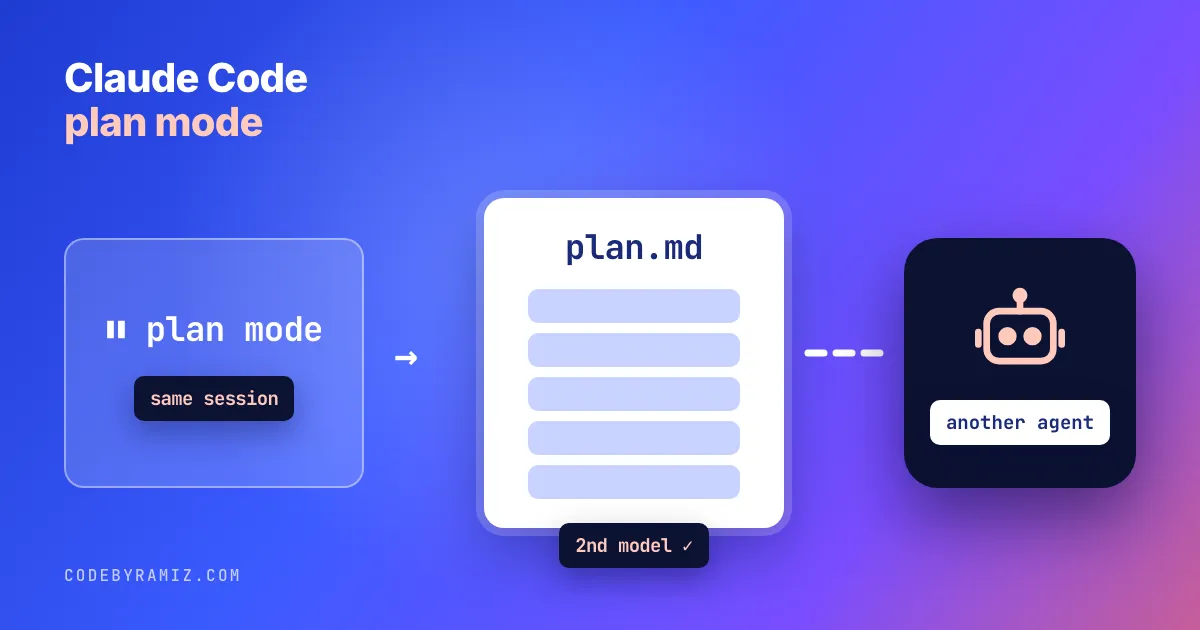
A plan I was about to hand to a worker said the app never wrote a lead's "last contacted" time at runtime. Two milestones were built on that. The app wrote it from four call sites. The plan read well and its author was sure of it. What caught the mistake was a second model reading the plan against the repo.
Claude Code plan mode is the built-in way to get a plan before any edits: Claude explores, writes a plan, and waits for you to approve it. Below is how it works per the docs, then why I almost never use it and what I put in front of a plan instead.
Updated 2026-10-31. Docs quoted: the permission modes page, fetched 2026-10-31.
How to use Claude Code plan mode
- Enter it. Prefix a single prompt with
/plan, or start a session withclaude --permission-mode plan. The shortcut isShift+Tab, which cycles modes: from Manual (default) it takes two presses, past Accept edits. Stop when the status bar shows⏸ plan mode on. PressingShift+Tabagain leaves without approving. - Let it explore. Claude reads files and runs shell commands but normally does not edit your source. The exception: in an interactive terminal session where bypass permissions is available, edits aren't blocked and planning commands run without classifier or prompt. Otherwise, with auto mode available and
useAutoModeDuringPlanon (the default), a classifier reviews planning commands; without auto mode, commands outside the read-only set prompt you. The docs list a few critical removals that are handled separately in every case. - Review the plan.
Ctrl+Gopens it in your editor so you can change it before answering. - Approve or push back. The usual choices are "Yes, and use auto mode", "Yes, manually approve edits" and "No, keep planning". The first reads "Yes, auto-accept edits" when auto mode isn't available, and a session started with bypass permissions gets a bypass-labelled choice instead.
showClearContextOnPlanAcceptadds an option that approves and clears the planning context. Approving switches the session to that mode and Claude starts editing.
To start every project terminal session in plan mode, set defaultMode in .claude/settings.json. The VS Code extension doesn't read that; set claudeCode.initialPermissionMode to plan in your VS Code user settings.
{
  "permissions": {
    "defaultMode": "plan"
  }
}
Plan mode vs accept edits vs auto mode. Normally, plan mode is the only one of the three that blocks source edits. Accept edits lets Claude edit files without asking; auto mode has a classifier approve actions. The full comparison is in Claude Code YOLO mode.
Plan mode already writes a file
This post went through the same gate it describes. The first draft argued "plan mode versus plan files": plan mode keeps the plan in the conversation, my workflow puts it in a file that survives compaction. I wrote it, re-read it, and believed it.
The reviewer returned FAIL on that premise. Plan mode saves its plan to ~/.claude/plans by default, the plansDirectory setting moves it into your project, and when a session compacts the plan is re-injected from disk. I checked the settings and context-window docs, and the reviewer was right.
So I threw out the thesis and rewrote the post around what's actually different. Persistence isn't it. What plan mode doesn't decide is who approves the plan and who runs it. In plan mode, both are you and the same session.
How often plan mode shows up in my sessions
I run many Claude Code sessions on one Mac, split across three profiles. I counted every transcript, and how many contained an ExitPlanMode tool call (the call that presents a plan for approval) or a permissionMode of plan:
| Profile | Transcripts | With an ExitPlanMode call | With permissionMode plan |
|---|---|---|---|
| My personal profile | 1,223 | 0 | 1 |
| The profile my project-manager agents run on | 5,396 | 2 | 35 |
| The worker profile | 1,247 | 0 | 5 |
| Total | 7,866 | 2 | 41 |
What the table proves: across 7,866 transcripts, plan mode shows up in 41 (about half a percent) and a plan was presented for approval in 2.
These count transcripts that contain the marker, not how often a plan was shown inside one. I did not open the 41 to see who switched plan mode on.
The plan folders agree. Across all three profiles, the default plans folder holds one file. Plan mode had come on halfway through a routine check-in, and Claude did what the mode asks: it wrote a plan listing the seven steps it had been about to run, saved under a generated name, outside any repo. Nothing else in that folder, in months of sessions.
My workload is unusual. Most of my sessions are agents run by other agents, with nobody at a keyboard to press Shift+Tab. If you code interactively all day, your counts will look different.
What a second reader catches
My plans are written by one agent, gated by a second model, and executed by a third. The gate is the part plan mode has no slot for, and two more verdict files show why I keep it.
The false premise. The plan from the opening was for a lead-tracking app. The reviewer (OpenAI's Codex CLI, run read-only with the repo open) returned FAIL: the central "last contacted is never written" premise was false, one milestone's dependency chain was partly wrong, a "record only on real launch" idea was unsafe with the current launcher, and the share-target OCR path was missing. The revised plan cut that milestone down to the one missing field, dropped the unsafe idea, and added the OCR path. Round two was PASS.
The five-round plan. A warm-up feature for a shared AI SDK took five rounds. The four FAIL verdicts found these defects in the proposed approach:
- The warm-up call swallowed cancellation, so an abandoned screen couldn't stop it.
- The "fired" log line was emitted before the request, so the live test proved nothing.
- Two triggers at once (saving a key, opening a chat) could both fire, which meant two billable requests. The fix was single-flight state plus a test that two triggers make one request.
- A test called the warm-up directly, then expected the controller to skip, but the controller had no record of it and would fire again.
- The Swift signature was
asyncwithoutthrowswhile rethrowing cancellation, which doesn't compile.
Round five was PASS. My planning skill now stops at two rounds and hands the decision to me, rather than looping.
None of the three catches, this post's included, needed a smarter author. Each needed a reader who hadn't written the plan and checked it against the source.
The plan-file workflow
The planning skill, in order:
- One agent writes an approach-level plan. The approach, and the facts that de-risk it. No line numbers, full code listings or per-item tables; those are the executor's job.
- It verifies what it cites. Every file and signature the plan names is checked against the repo first.
- A second model gates it. Codex returns PASS or FAIL on whether the plan is sound and grounded. If Codex is unavailable, an Opus review stands in and is labelled as a substitute.
- Two rounds, then stop. A FAIL gets one revision. If round two still fails, the agent either ships the plan, listing the objections it overrode because they only asked for more detail, or escalates a genuine blocker to me with the objection quoted.
- It offers execution. The skill ends by offering to run the plan with subagents or inline.
The gate prompt is short. A trimmed version you can reuse:
Review the plan in plan.md against this repository. Read-only.
FAIL only for a substantive defect: an unsound approach, a claim about
the code that is false or unverified, or a missing piece the executor
would hit. Do not ask for line numbers, full code or more detail.
Cite the plan section and the file you checked. Last line exactly:
VERDICT: PASS or VERDICT: FAIL
Without Codex, a fresh Claude Code subagent with read-only tools works as the reader; what matters is that it didn't write the plan.
What I usually do instead is hand the file to a headless claude -p worker (how that setup works). The worker gets the file, not the conversation that produced it.
The files live in a plans folder in each repo: 36 unique plans, from 1,458 words to 34,187, median about 5,100. The longest predates the skill. Its rules against line numbers and full code listings exist to keep plans at the size a reviewer will actually check.
Related: running several Claude Code agents, Claude Code subagents for delegating inside one session, and Codex as the read-only reviewer.
When to use plan mode, and when to gate a plan
| Use plan mode when | Gate a plan file when |
|---|---|
| You will read the plan yourself | Another agent will execute it |
| You are the executor and the reviewer | A second model, or another person, should approve it first |
| You want Claude to explore before it touches code | The plan rests on claims about the code that someone should check |
| A wrong turn is cheap to undo | A wrong turn costs a worker's whole run |
If you drive Claude Code by hand, start with plan mode: /plan on your next prompt, and set plansDirectory if you want the plans in the repo. Add a second reader when the plan will be executed by someone who can't ask its author what it meant.
What I haven't tested is putting a plan-mode plan, saved in the repo, through the same gate. Nothing stops it; the gate reads files. I just have one plan-mode file to my name, so I have no counts to offer.
Keep reading
- OpenCode vs Claude Code: Which to Pick, With 50 Logged TasksA feature table from the official docs, a pick-this-if list, and what 50 logged OpenCode tasks did next to my 20 Claude Code ones.
- Xcode MCP: Setting It Up for Claude Code, and What I SawThe three steps and one command Apple documents for external agents, then four things I observed on Xcode 27.0 that the page does not say.
- Gemini CLI vs Claude Code: What I Can and Cannot Say From My LogsA correction first: none of my logged runs used Gemini CLI. Here is what the Gemini rows are, what the two tools' docs say, and a dated tally with its limits.