Google Play Target API Level Requirement: A Checklist for an App Nobody Has Touched
What Play Help requires, what changes when you raise targetSdk to 36, and the order that keeps a neglected app shippable.
Requirements checked: October 2026 against Google's Play Help page on target API level requirements and the Android 16 behaviour changes. Check both before you plan around the numbers.
Play Console shows a warning on an app nobody has built in a year: it must target a newer API level. The build.gradle still says targetSdk 33, the Gradle wrapper is three majors old, and the person who set it up left. The Google Play target API level requirement is one number, but raising it on a neglected app touches almost everything else.
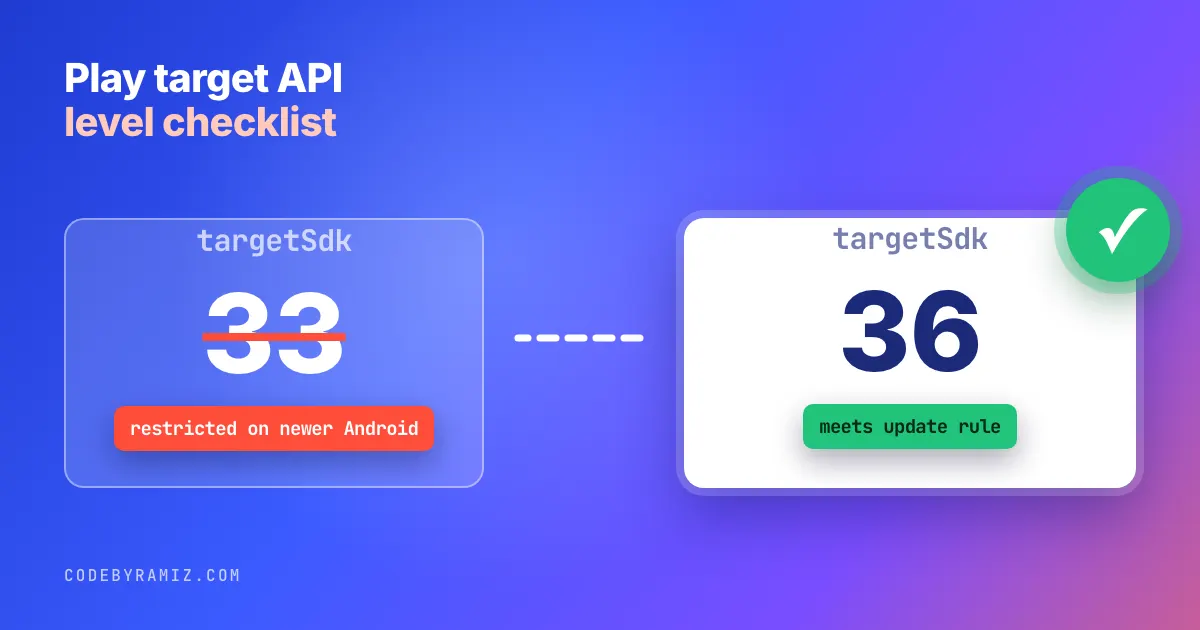
TL;DR: Play Help says new apps and updates must target Android 16 (API level 36) or higher, and existing apps must target Android 15 (API level 35) or higher to stay available to new users. Raise compileSdk and then targetSdk only after the build works, and read the behaviour changes for the level you are jumping to, because three of the Android 16 ones change what your screens look like.
What the requirement says
This is the wording from the Play Help page linked above. For new apps and app updates: "New apps and app updates must target Android 16 (API level 36) or higher to be submitted to Google Play", starting August 31, 2026. For existing apps: "Existing apps must target Android 15 (API level 35) or higher to remain available to new users."
The consequence for an app that does not comply is availability, not removal. Apps with a lower target "will only be available on devices running Android OS that are the same or lower than your apps' target API level". Existing users can still find, reinstall and use the app. New users on newer Android versions cannot get it. That is the quiet failure from the year-old app that stopped shipping: the app is still listed, but a new user on a newer Android version cannot get it.
If you need more time: "You will be able to request an extension to November 1, 2026". The page says the form appears in Play Console later in the year; the FAQ says it is on the details page of the warning on the Policy status page. The only exemption it lists is permanently private apps restricted to users in a specific organization. This article covers phone and tablet apps only.
The page is not dated, and Google moves these numbers every year. Treat the figures here as a snapshot and check the page.
Step 1: find out what you target today
Play Console lists the warning under Policy status, with the level the app targets. In the repo, look in the app module's build.gradle(.kts) for targetSdk, and in the build output for what the shipped release actually declared. Those two can differ if a flavour overrides it, so read the manifest of the last uploaded bundle, not just the source.
Step 2: make the app build before you change the number
On a neglected app the target level is rarely the first thing that fails. The Android Gradle Plugin, Gradle and Kotlin versions are. Get a clean build and a passing test run at the old target first, so a later failure points at the target change and not at a year of drift. I recommend this order; I have not shown it from my own history. The PlannedPing commit that upgraded Gradle, AGP and Kotlin also raised targetSdk from 35 to 36 in the same change, so do as I say here, not as that commit did.
Step 3: raise compileSdk, then targetSdk, and read the behaviour changes
Raising compileSdk on its own does not opt you in to the targetSdk-gated behaviour changes; it changes what you compile against, so check the build and your toolchain separately. Raising targetSdk opts you in to behaviour changes. For Android 16, the developer docs list these as applying only to apps targeting API level 36 or higher, and they take effect when the app runs on Android 16 or later:
- Edge to edge: "
R.attr#windowOptOutEdgeToEdgeEnforcementis deprecated and disabled, and your app can't opt-out of going edge-to-edge." On Android 16 and later, a screen that relied on the opt-out draws under the system bars. - Predictive back: the system animations are on by default, and "
onBackPressedis not called andKeyEvent.KEYCODE_BACKis not dispatched anymore". There is a temporary opt-out:android:enableOnBackInvokedCallback="false". - Orientation and resizability: restrictions "no longer apply on displays with smallest width >= 600dp". A portrait-locked phone app can now open in a resizable window on a tablet.
The same page lists smaller ones (the elegant font attribute is ignored, fixed-rate scheduling runs at most one missed execution, BODY_SENSORS moves to granular health permissions). Read the changes for every level between your current target and the new one, not just the latest. I quote only Android 16's here, so for a jump from 33 you still have to read the pages for 14 and 15, and separate the target-gated changes from the ones that apply to every app on the OS.
Step 4: three UI risks to check first
Run the app on an Android 16 device or emulator at the new target and open every screen once. Look for content hidden behind the status or navigation bar, a back gesture that exits the app instead of closing a dialog, and a layout that breaks in a resized window. These are visual and behavioural, so a green unit-test run proves nothing about them; you need a frame from a running build. It is the same evidence rule as in checking an agent's claim that the tests passed.
Step 5: stop it happening again
In my own apps the order went differently from what I recommend: the PlannedPing platform upgrade and the 35 to 36 bump landed in one commit, so a failure there could not be pinned on either. That is the reason to split them. Put the target level in one place (a version catalog or convention plugin), and set a calendar reminder for the date Google publishes next year's level. Where my own apps stand today, read from their Gradle files:
| App | compileSdk | targetSdk |
|---|---|---|
| PlannedPing | 36 | 36 |
| LeadPing | 36 | 36 |
| ChatPing | 37 | 37 |
| ResizePing | 37 | 37 |
Values from each app module's build.gradle.kts, so all four are at or above the new-app level of 36.
If you inherit an app and want the full release unblock order, the rescue pieces cover it.
What I did not verify
I have not seen the extension form, so I cannot say how it is approved. I have not tested these behaviour changes myself for this article; they are quoted from the Android developer docs. I left out Wear OS, Automotive, TV and XR, which the page treats separately; check it directly if you ship on those. I also have not taken an app with a store warning through this process myself in these repos, so the order in this article is a recommendation.
Keep reading
- Your App Hasn't Shipped in a Year. The Problem Usually Isn't the Code.A frozen app isn't a stable one. It's decaying against store policy, OS behaviour, and credentials that expire on their own schedule — and the thing blocking the release is almost never the code.
- Twelve Cores, Seven Devices, One DiskGit worktrees keep parallel agents out of each other's files. They do nothing about the CPU, the test phones, the disk or the run that hung seven hours ago. Those are the parts that actually broke.
- When Your Coding Agent Hits a Rate Limit: A Fallback Ladder That Keeps WorkingA rate limit, a stalled run that already finished the work, and a pull request that still fails review need three different responses. Here is the ladder I use to tell them apart.